OpenText Content Management: What Administrators Should Evaluate Before Upgrading
OpenText continues to evolve Content Management through regular releases and updates, but evaluating a new version should involve more than reviewing a feature list. For administrators responsible for established environments, an upgrade can affect infrastructure, authentication, integrations, customizations, records management, and administrative responsibilities.
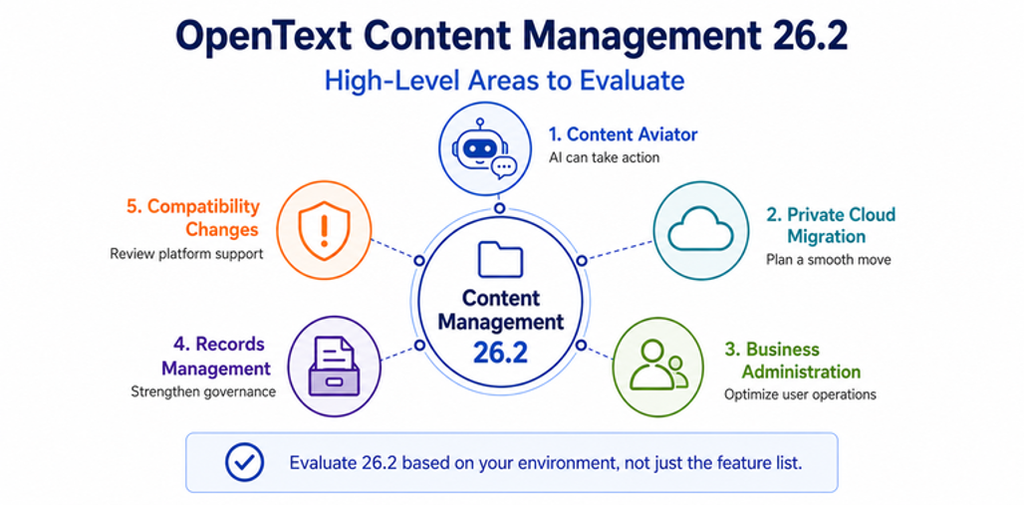
OpenText Content Management 26.2, released in June 2026, is a good example. The release introduces meaningful changes in artificial intelligence, cloud migration, administration, governance, Microsoft integrations, and the user experience. At the same time, several compatibility and platform changes may require action even if an organization has no immediate plans to use the headline features.
The better question is not simply, “What is new in 26.2?” It is “What does 26.2 change in my environment, and what should I evaluate before upgrading?”
This article looks at the release from that administrator-focused perspective.
Content Aviator Moves from Answering Questions to Taking Action
One of the most significant changes in 26.2 is the evolution of OpenText Content Aviator. Earlier generative AI use cases in content management largely centered on finding information, summarizing content, and answering questions. Content Aviator 26.2 expands that model with an Agent Development Toolkit and agents that can perform actions inside Content Server.
The 26.2 Release Notes identify capabilities such as moving, copying, renaming, and deleting objects; reading and updating categories and attributes; interacting with users’ favorites and reserved items; using Business Workspace relationships to build a knowledge graph; and interacting with Records Management functionality, including placing content on hold.
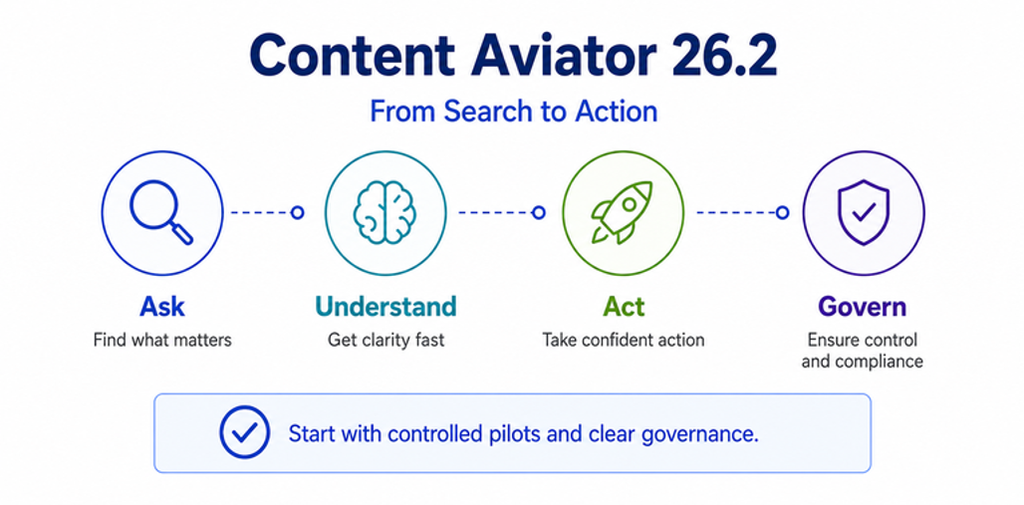
This is an important shift. AI is no longer limited to helping a user understand content; it can potentially participate in managing that content.
For administrators, that changes the evaluation considerably. Organizations should determine which users should use these capabilities, which locations should be Aviator-enabled, how existing permissions affect the resulting actions, and what auditing and governance controls are required.
Records-related actions deserve particular attention. Asking an AI assistant to summarize a document is fundamentally different from allowing it to change metadata, move content, or place a record on hold. These capabilities may deliver significant productivity gains, but organizations should introduce them through controlled pilots and validate them against security, audit, and records-management requirements.
Administrators should also avoid assuming that upgrading Content Management automatically grants entitlement to every packaged capability. OpenText states that license agreements and license keys determine which functionality customers are permitted to use.
Private Cloud Migration Gets a More Defined Technical Path
Organizations evaluating a future move from an on-premises Content Management environment to OpenText Private Cloud should also pay attention to 26.2.
Content Management Syndication now includes a specific Syndication for Cloud Migration mode supporting one-way migration of content from an on-premises environment to OpenText Private Cloud.
This does not make a Private Cloud migration a push-button operation. Existing environments may contain years of configuration changes, optional modules, customizations, integrations, security models, Business Workspaces, workflows, and other dependencies that still need to be assessed.
What 26.2 provides is a more explicit technical mechanism for the content-transfer portion of that modernization path.
Organizations that expect Private Cloud to be part of their future architecture should begin evaluating their environment from a migration-readiness perspective even if the migration is not imminent. Understanding custom modules, integrations, content structures, authentication dependencies, and obsolete components now can make a future migration more predictable.
Business Administrators Gain More Responsibility
Not every consequential change in 26.2 is tied to AI or cloud strategy.
The Business Administrator role receives several enhancements that could change how organizations delegate day-to-day administration. Content Management 26.2 introduces an out-of-the-box Business Administrator home page with preconfigured widgets displaying relevant status information. The release also opens the Usage Privilege administration page to Business Administrators.
WebReports administration is another notable change. Business Administrators can now access the WebReports administration pages, and WebReports settings previously maintained in INI configuration have been moved into the database to simplify deployment and upgrades.
These changes create more opportunities to delegate administration without granting full System Administrator access. They also mean organizations should review who currently belongs to the Business Administrators group and whether those assignments remain appropriate.
Records Management Gains Better Bulk Administration
Records Management administrators also receive several useful improvements in 26.2.
A new Records Management Metadata Bulk Update Rule capability allows administrators to add or update RM metadata across large volumes of managed items. The functionality works with one or more Collections and requires the Metadata Rules usage privilege. OpenText also notes that when a Collection contains a container such as a folder, the items inside that container are not automatically updated by the bulk rule. That distinction matters when planning a large-scale change.
Bulk metadata operations can eliminate significant manual work, but they should be treated with the same controls as any other mass update. Administrators should test rules against representative content, confirm the intended population, validate the resulting metadata, and ensure that classification, retention, permissions, or hold requirements are not unintentionally affected.
The release also updates the format of Hold and Disposition Export files and adds a Functional Access option that can assign all Records Manager groups to new RM Classification permissions when enabled.
Read Audit Logging Adds Document Acknowledgement
Another governance-related addition is Read Audit logging.
Administrators can enable the option globally, at the folder level, or for an individual document. Users can then be required to acknowledge that they reviewed the document. Intelligent Viewing tracks the acknowledgement by user, and the resulting information can be retrieved through Content Management reports.
This may be useful for policies, procedures, controlled instructions, and other content where an organization needs evidence that a user acknowledged reviewing a document.
It is important, however, to distinguish acknowledgement from comprehension. The feature records that a user confirmed reviewing the document; it should not automatically be interpreted as proof that the user understood or complied with its contents.
Compatibility Changes May Matter More Than New Features
Some of the most important items in an upgrade assessment are not new features at all.
Microsoft Authentication
OpenText documents a transition away from SharePoint App Credentials following Microsoft’s retirement of Azure Access Control Services. Starting with 26.2, those credentials are no longer supported for affected Microsoft integrations, including Teams, archiving, and Outlook integrations. OpenText directs customers toward Entra ID app-only authentication.
Organizations using Microsoft integrations should review their authentication configuration before treating 26.2 as a routine application update.
Office Online Broker
There is also a significant change for organizations using the on-premises Office Online Broker.
Microsoft Office Online Server reaches end of support on December 31, 2026. OpenText states that it will provide only limited support for on-premises Office Online Broker deployments that rely on Office Online Server beyond that date and will no longer release new versions of the on-premises broker beginning with 26.2.
Organizations that depend on this architecture should include it in their longer-term collaboration strategy.
Do Not Treat Upgrade Preparation as a Feature Checklist
Once an organization decides that 26.2 is worth pursuing, the focus shifts from features to upgrade readiness.
OpenText supports two general approaches: an in-place update and a parallel upgrade. The Upgrade Guide describes an in-place update through System Center Manager as the method normally used to apply Content Server updates. A parallel upgrade installs the newer version as a separate environment and transitions the existing deployment to it, which can be appropriate when infrastructure is also changing or when the upgrade path requires it.
For an in-place update, one of the most valuable preparation tools is Update Analysis in System Center Manager.
The analysis identifies files that the update will change and categorizes them as NEW, VERIFIED, or DIFFERENT. A DIFFERENT result means the file no longer matches what the System Center manifest expects, potentially because of administrator customization, a third-party integration, or another patch. OpenText recommends backing up those files before proceeding.
This can expose customization risk before the outage begins.
Backups Must Extend Beyond the Application Files
Administrators should also understand the limits of System Center rollback.
OpenText instructs customers to create a full backup that includes the Search Index, Content Server database, External File Store, and the Content Server home directory for every Content Server instance. System Center can roll back changes made to application files, but it cannot reverse changes made to the database, file store, or search index. Those components require restoration from backup if an update must be reversed.
That makes a complete and synchronized backup set essential.
OpenText also recommends applying updates first in a test environment and moving to production only after the test upgrade succeeds.
Test What Makes Your Environment Different
One of the most useful recommendations in the Upgrade Guide is also one of the easiest to overlook.
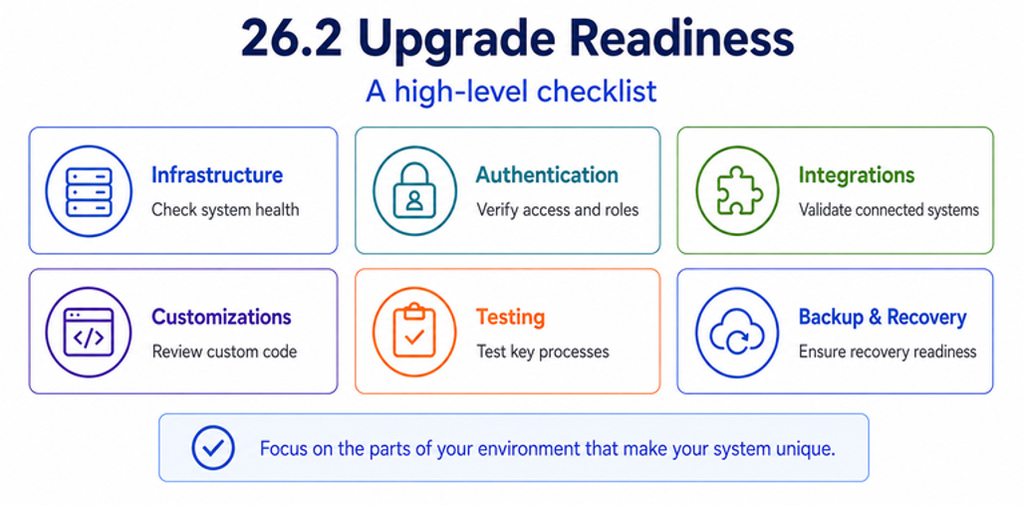
OpenText specifically tells administrators to identify and test mission-critical workflows, LiveReports, Custom Views, Appearances, and other environment-specific functionality. Optional and custom modules should also be reviewed for compatibility, and customizations may need to be modified for the target version.
For heavily customized Content Management systems, this may be more important than testing standard upload, search, and download functions.
A useful 26.2 regression plan should include the organization’s actual production behavior:
- Critical workflows and workflow integrations
- WebReports and LiveReports
- Custom modules and OScript customizations
- Custom Views and UI modifications
- Authentication and OTDS
- Microsoft integrations
- Search and Indexing
- Records Management
- Business Workspaces
- Enterprise Connect and Office Editor
- External applications, REST integrations, and APIs
The objective is not merely to prove that Content Management 26.2 starts successfully. It is to prove that the business processes built on top of Content Management still operate correctly.
A Practical 26.2 Upgrade Evaluation
Before committing to the upgrade, administrators should be able to answer a short set of questions:
| Area | Question to Ask |
| Content Aviator | Do we plan to use agentic actions, and what governance controls would be required? |
| Private Cloud | Is Private Cloud part of our roadmap, and is our environment ready for eventual migration? |
| Business Administration | Should our current Business Administrators receive the additional 26.2 capabilities? |
| Records Management | Could bulk metadata rules or Read Audit address an existing governance requirement? |
| Microsoft integrations | Have affected integrations been moved to supported Entra ID authentication? |
| Office editing | Are we dependent on an on-premises Office Online Server and Office Online Broker architecture? |
| Infrastructure | Are our operating system, database, Java, web or application server, and related components supported? |
| Customizations | What workflows, WebReports, modules, integrations, or custom code require regression testing? |
| Recovery | Do we have a complete, synchronized backup and a tested rollback plan? |
The answers will differ considerably from one organization to another, which is why the business case for 26.2 cannot be determined from the feature list alone.
Conclusion
OpenText Content Management 26.2 contains meaningful enhancements, but its significance depends on how an organization uses the platform.
For some customers, action-oriented Content Aviator capabilities may be the primary reason to evaluate the release. For others, Records Management improvements, expanded Business Administration, or a future Private Cloud migration may provide greater value. For environments dependent on older operating systems, Microsoft authentication methods, Office Online Server, custom modules, or extensive workflows, compatibility changes may be the most important part of the upgrade discussion.
The most effective approach is to evaluate 26.2 against the architecture and business processes already in place. Inventory the environment, review platform support and deprecations, run System Center Update Analysis, validate backups, identify custom functionality, and test the upgrade against a representative environment before production deployment.
A successful Content Management upgrade is not simply one that completes without errors. It is one that preserves the business processes, integrations, governance controls, and user experience that depend on the platform while positioning the environment to take advantage of what comes next.
Nanavati Consulting has extensive experience upgrading, configuring, integrating, and supporting OpenText Content Management environments across complex enterprise deployments. Our team can help organizations assess upgrade readiness, identify compatibility and customization risks, develop regression-testing plans, and execute Content Management upgrades with a clear understanding of both the technical environment and the business processes it supports.
Contact us today to schedule a free demo and a personalized consultation.