Choosing the Right Workflow Platform
Modern agencies and enterprises rely on digital workflows for everything from contract approvals to property management and audit readiness. When those workflows touch sensitive data, PDF forms, digital signatures, and records management, the choice of platform becomes a strategic decision, not just a technical one.
This article provides a comparative evaluation of three leading workflow platforms—OpenText Content Management (xECM), Microsoft Power Platform, and ServiceNow, with a focus on their ability to support complex, audit-ready workflows at scale.

What Workflow Platforms Must Be Able To Do
Before comparing tools, it is important to define the bar. For most agencies and regulated organizations, a workflow platform should be able to:
- Route work intelligently – approvals, rejections, rework loops, sub-workflows, parallel and sequential paths, and the ability to cancel or reassign tasks.
- Provide rich forms – web forms with validation, default values, multi-page layouts, and support for one-to-many data.
- Notify users and track activity – task notifications, detailed audit trails, and workflow tracking that shows who did what, when, and why.
- Handle comments and error logging – comments for context and rework, plus error logs for troubleshooting and continuous improvement.
- Support search, performance metrics, and permissions – find prior workflows, measure cycle times, and tightly control who can see or edit each record.
- Work with PDFs and signatures – generate and edit PDFs, ingest data from PDF forms, and support both digital and electronic signatures.
- Enable reporting and records management – real-time dashboards, historical reporting, export options, and the ability to hand off final outputs to a records repository.
With these requirements in mind, here is how the three platform options stack up.
OpenText Content Management – Proven Workflows with Deep Records Integration
OpenText Content Management has long been used as a workflow and content management platform, especially in environments where compliance and records management matter. Its workflow engine is tightly integrated with the content repository and database, which brings several advantages:
- Rich graphical workflow designer – drag-and-drop process mapping, support for sub-workflows, loops, parallel branches, and dynamic routing based on metadata.
- Mature form and data handling – configurable forms with various field types, support for one-to-many data structures, and storage in relational tables for easy reporting.
- Built-in notifications, auditing, and tracking – task assignments, comments, timestamps, routing history, and performance metrics are all captured in SQL tables.
- Granular permissions – fine-grained access control to workflows, attachments, and archives, aligned with records management policies.
- Records management and signatures – strong native records management and support for both digital and electronic signatures on PDF content.

For organizations that use Content Management as their primary content and records repository, it remains a powerful workflow option. When your records strategy involves multiple repositories, OpenText Content Management can still play a key role as the workflow engine of record or as part of a hybrid architecture.
Microsoft Power Platform – Canvas Apps with Dataverse or SQL
Microsoft Power Platform is not a single product; it is a toolbox. The evaluation looked at three main layers: data, application, and automation.
Data Layer: SharePoint Lists vs. Dataverse vs. SQL Server
SharePoint Lists are great for simple scenarios: small request trackers, issue logs, or basic forms. But they struggle with:
- Large data volumes (more than ~2,000 items per list in a Canvas App scenario)
- Complex relational models
- Delegation limitations that hurt performance and filtering
- Robust reporting and audit scenarios
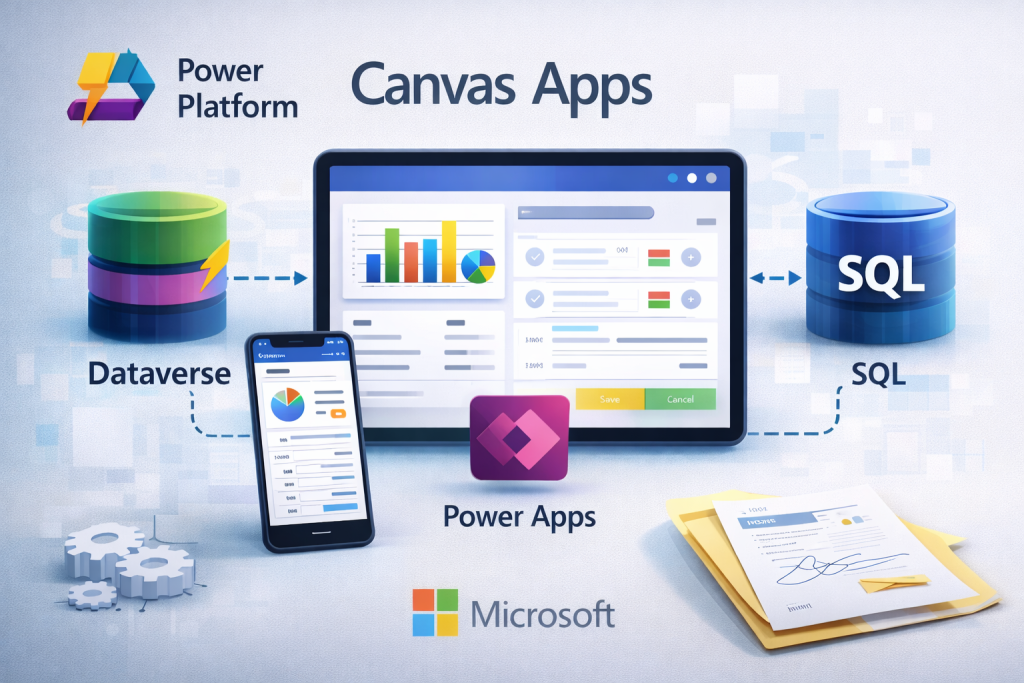
For enterprise-grade workflows, the preferred data layer in this stack is usually Dataverse or SQL Server:
- Both support relational models, scalability, and high performance.
- Dataverse adds row-level and role-based security, native auditing, and deep integration with Power Apps and Power BI.
- SQL Server (on-prem or Azure) shines when you already run a SQL ecosystem and need rich reporting and integration with legacy systems.
Either Dataverse or SQL Server can serve as the authoritative “workflow brain” and data store, while SharePoint can remain the document library or collaboration surface where needed.
Application Layer: Why Canvas Apps Shine
On the application side, the evaluation compared SharePoint Forms, Model-Driven Apps, and Canvas Apps.
- SharePoint Forms are fine for basic questionnaires or surveys but lack rich validation, dynamic behavior, and complex workflow logic.
- Model-Driven Apps are great for data-centric internal tools. They automatically generate interfaces from the Dataverse model and support reusable business rules but offer limited control over the look and feel.
- Canvas Apps offer full control over layout, behavior, and user experience and can connect to Dataverse, SQL, and other data sources. They are ideal when you want intuitive, task-focused apps that match how people work, even if they only touch a workflow a few times a year.
Canvas Apps, paired with Dataverse or SQL Server and Power Automate, can satisfy all the earlier requirements, routing, audit logs, tracking, permissions, PDF integration, and reporting while remaining highly customizable and deeply integrated with the broader Microsoft 365 ecosystem.
ServiceNow – Extremely Capable, Enterprise-Ready Platform
ServiceNow brings a very strong set of workflow, audit, and governance capabilities. On the Now Platform, you get:
- Visual workflow design tools and dynamic forms
- Advanced audit management and GRC features
- Integration Hub for connecting to external systems
- Performance analytics and KPI dashboards
- Role-based access controls and mobile access
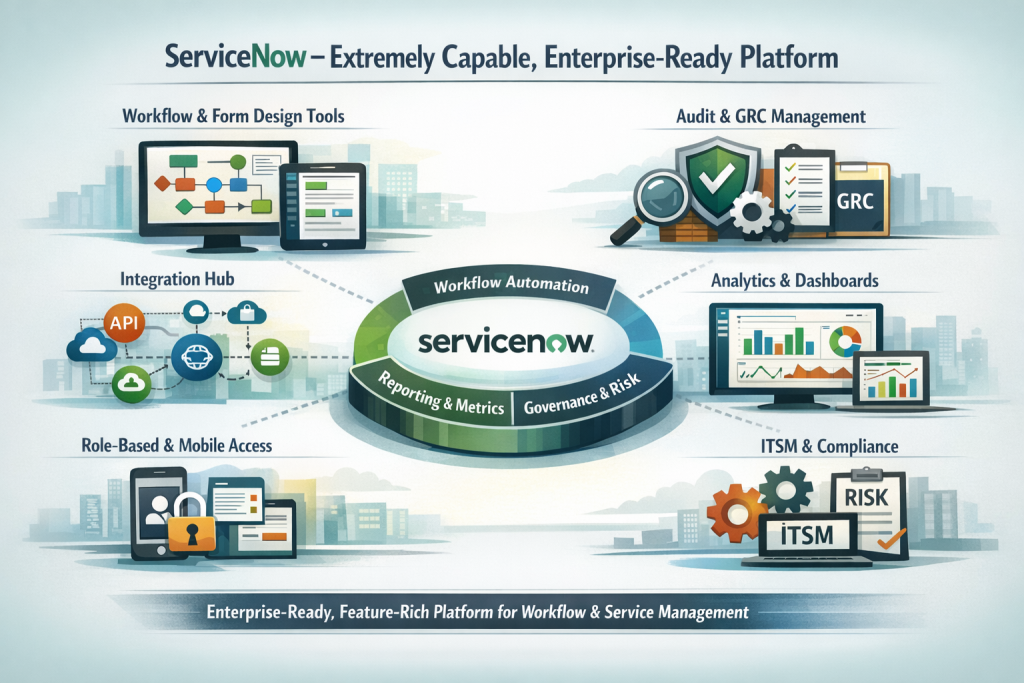
Functionally, ServiceNow can satisfy the same core workflow requirements: complex routing, tracking, comments, PDFs (via integrations), metrics, and reporting. Many organizations also appreciate its strength in IT service management, enterprise service management, and governance, risk, and compliance, making it a compelling choice when you want workflow to live alongside a broader service management strategy.
Because ServiceNow is a robust and feature-rich platform, success often depends on having the right skills and governance model in place. Organizations that already have a strong ServiceNow footprint can leverage those investments to deliver sophisticated workflow solutions across multiple business domains.
Comparing Strengths Across Content Management, Power Platform, and ServiceNow
Instead of selecting one definitive “winner,” it is more appropriate to acknowledge that each of these platforms demonstrates strengths in distinct areas:
- OpenText Content Management stands out where tight content and records management integration is paramount. If your workflows are deeply tied to documents, file plans, retention schedules, and audit trails within a governed repository, its native workflow and records features are a major advantage.
- Microsoft Power Platform shines when you want flexible, user-friendly applications that live in the same universe as Microsoft 365, Teams, and Power BI. It is particularly strong for organizations that want to empower both professional developers and advanced business users to collaborate on building and iterating workflows.
- ServiceNow is a great fit when you need enterprise service management at scale, with workflow sitting alongside ITSM, HR, facilities, or other service domains. Its strength in process standardization, analytics, and governance makes it attractive for organizations building a unified service platform.
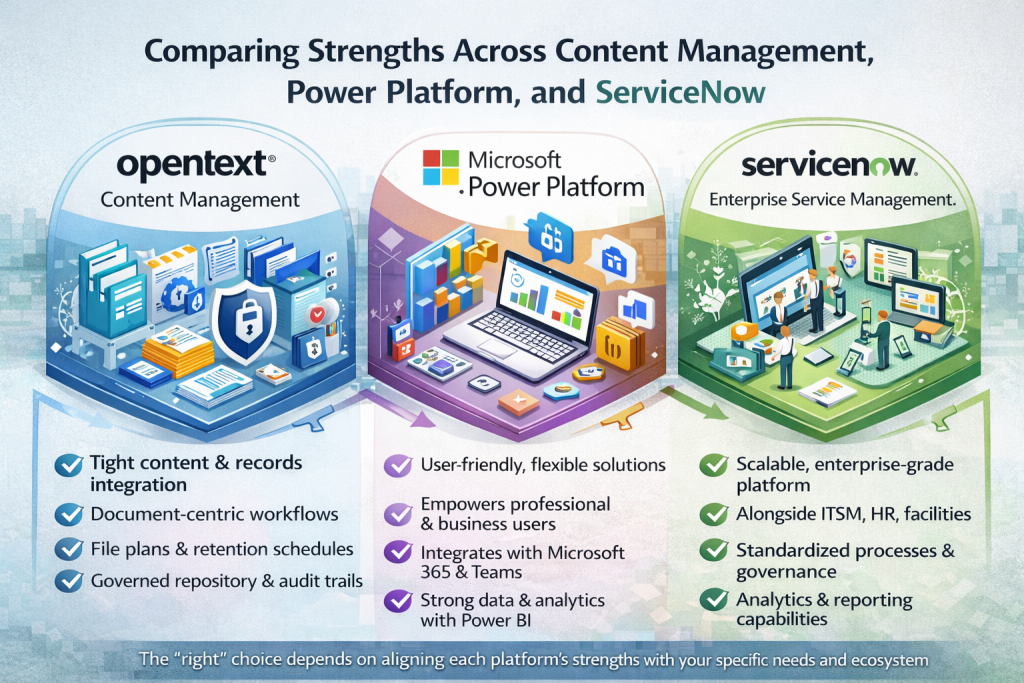
All three platforms can meet demanding requirements for routing, forms, auditability, security, and integration. The “right” choice is less about capability gaps and more about matching each platform’s strengths to your existing ecosystem, team skills, and long-term roadmap.
Implementation Considerations and Next Steps
Choosing a platform is only part of the decision, the implementation matters just as much. Whether you use Content Management, Power Platform, or ServiceNow, consider these points:
- Ecosystem and skill alignment – Match options to your team’s current skills to reduce risk and speed up delivery.
- Data architecture – Decide where your main data will be stored and how documents, metadata, and history are managed.
- Integration – Plan connections with other systems; each platform provides integration tools, but they differ.
- Governance – Set clear roles for design, changes, and support. Control workflow changes to avoid unnecessary complexity.
- User experience – Prioritize simple, clear workflows and invest in training and feedback so users adapt smoothly.
- Compliance – Design retention, audit logging, and evidence processes carefully—how you store and track data affects audits.
Addressing these areas without bias toward one tool helps ensure your workflows remain effective and adaptable.
From Platform Choice to Workflow Outcomes
At the end of the day, no auditor, business owner, or executive celebrates the fact that a process runs on Content Management, Power Platform, or ServiceNow They celebrate faster approvals, cleaner audits, fewer errors, and happier users.
The good news is that all three platforms are capable of delivering those outcomes:
- Content Management gives you deeply integrated content and records-driven workflows.
- Power Platform brings modern, flexible apps and automation into the heart of your Microsoft ecosystem.
- ServiceNow offers enterprise-scale service workflows and governance across multiple business functions.
The most successful organizations start by defining the experience and controls they need, then choose the platform or combination of platforms that best support those goals.
If your team is at the point of reevaluating your workflow landscape, use this comparison as a conversation starter. Bring together your records managers, IT architects, business owners, and security teams. Ask not just “What can this platform do?”, but “How will this platform help us make better decisions, prove compliance, and serve our stakeholders?”
By framing the decision like this, you shift from simply choosing a tool to actively shaping the future of work processes.
Contact us today to schedule a free demo and a personalized consultation.